
Multiview
Multiview, 2 to 9 tiles
Watch several channels at once with preset layouts, audio focused on the tile you pick. Your layouts sync to your other devices.
Platform / Windows
A native WinUI 3 app, not a browser tab. Hardware-accelerated playback, the full guide, catch-up, recording to your own disk, and up to nine channels on screen at once.
Big Buck Bunny, Blender Foundation, CC BY 3.0
Live TV, playing now in 4K at 60 fps, decoded on the GPU
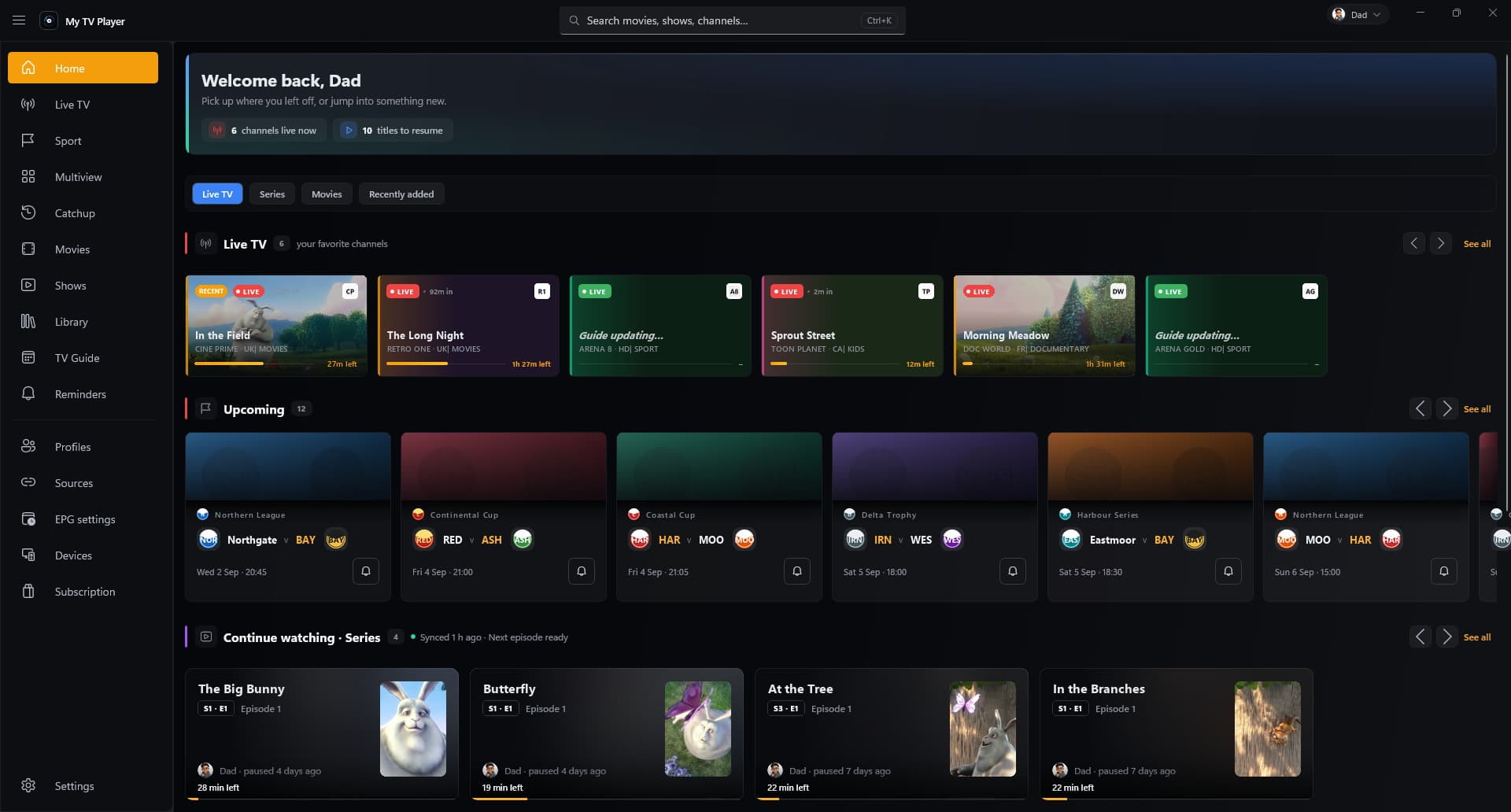
Home, with continue watching and the live rails
Capabilities
The Windows app is where the whole feature set lands first.
Multiview
Watch several channels at once with preset layouts, audio focused on the tile you pick. Your layouts sync to your other devices.
Catch-up
Scroll back through the days your source keeps and start any programme straight from the guide. It resumes where you stopped.
Guide
The multi-day guide downloads in the background into a local store, so scrolling stays instant and keeps working when the connection wobbles.
Failover
A watchdog notices a stalled stream and swaps to a backup source without you reaching for anything.
Household
Household profiles with their own history and favorites, kid profiles with age limits, a parental PIN, plus bedtime and daily screen-time limits.
Interface
Light and Dark, nine interface languages including Arabic with a right-to-left layout, and every control reachable from the keyboard.
Three screens
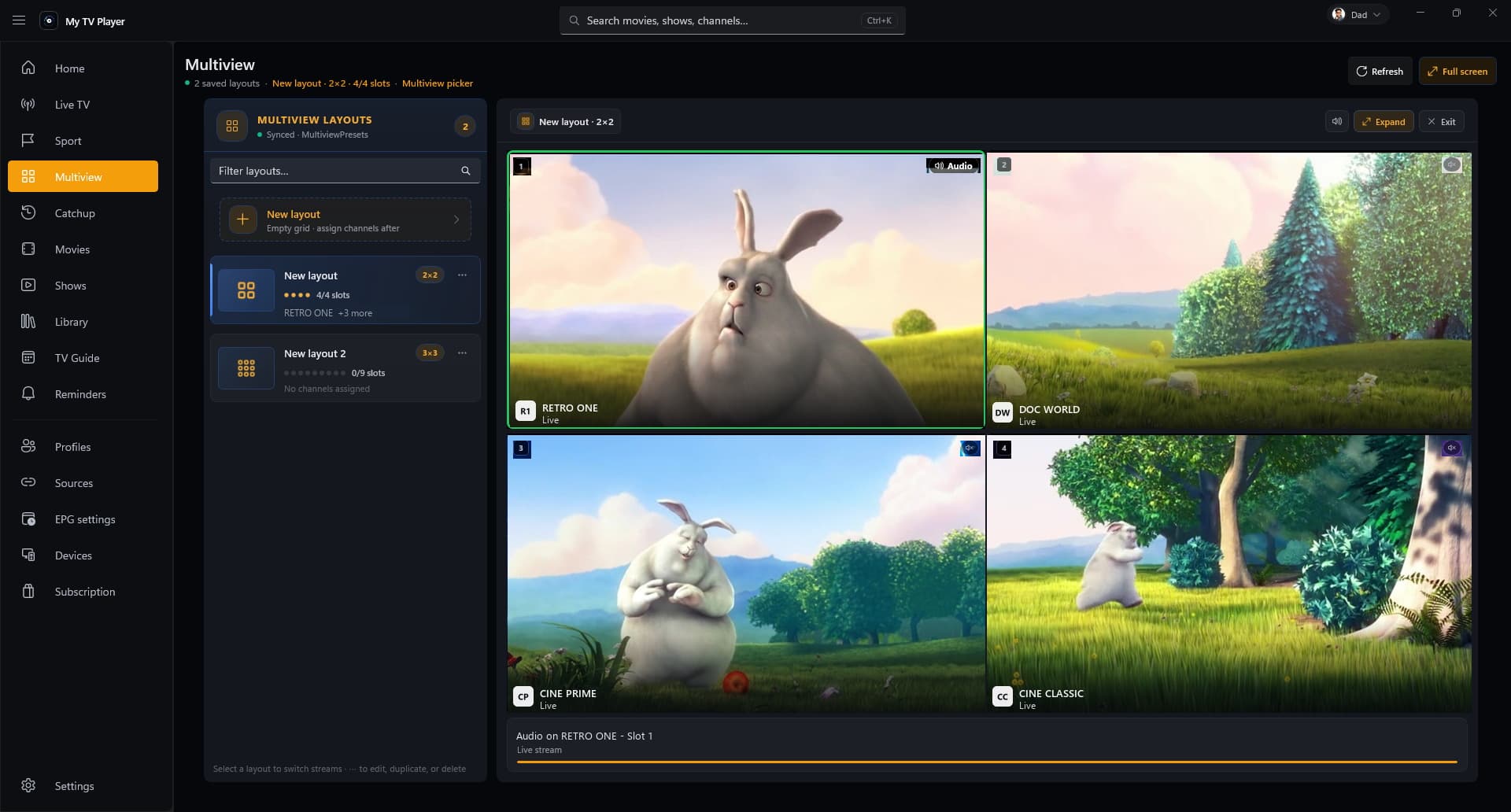
Multiview
Preset walls from two to nine panes, audio on whichever one you choose, and the layout follows you to your other devices. This is the feature with no equivalent anywhere else in the product.
Multiview, 4 of 9 panes, audio on one pane
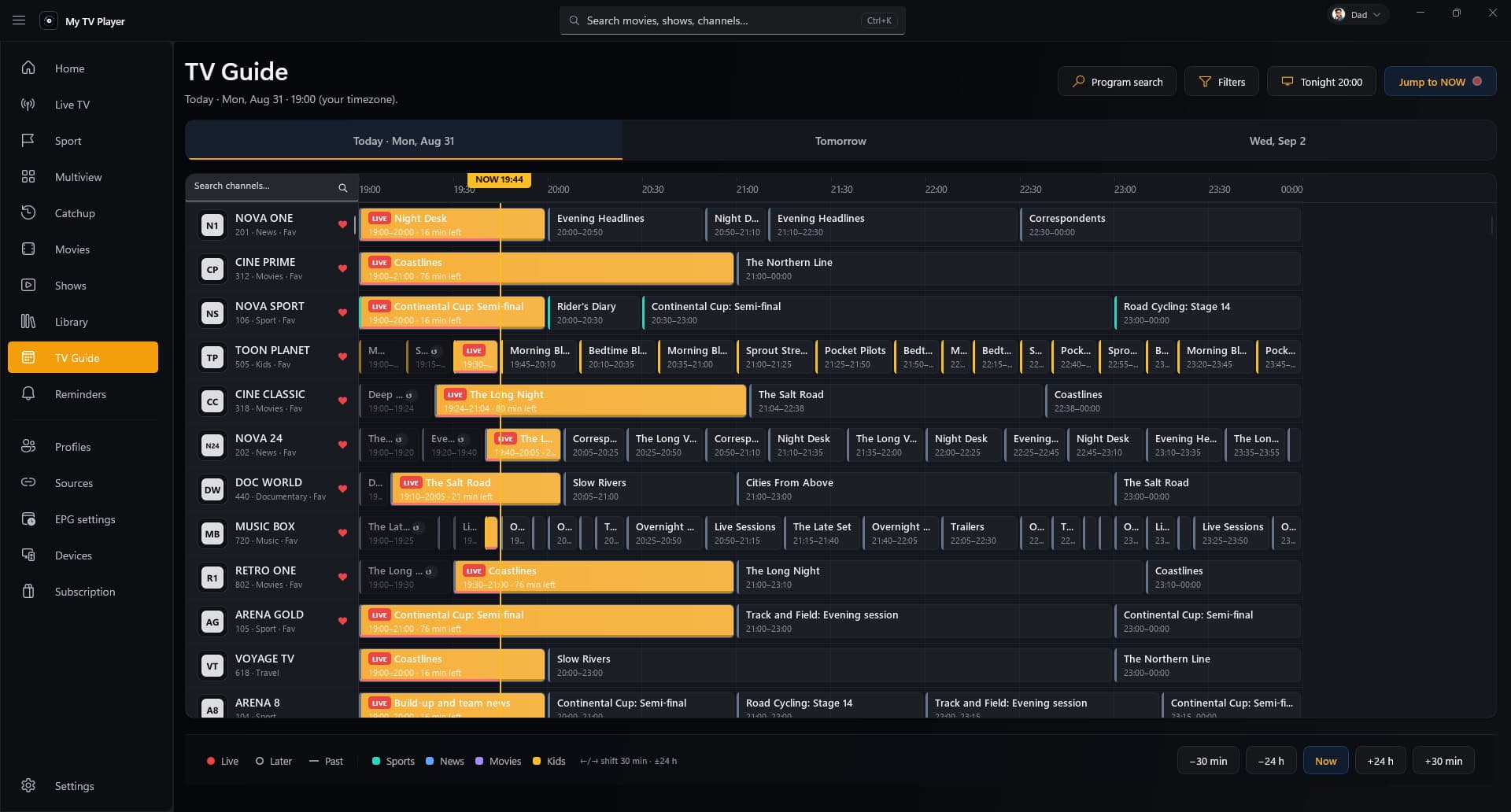
TV guide
The multi-day guide sits in a local store, so scrolling a week of programmes is instant and keeps working when the connection does not. Record from it, set a reminder from it, or go back to what already aired.
TV guide, 128 channels, 7 days cached locally
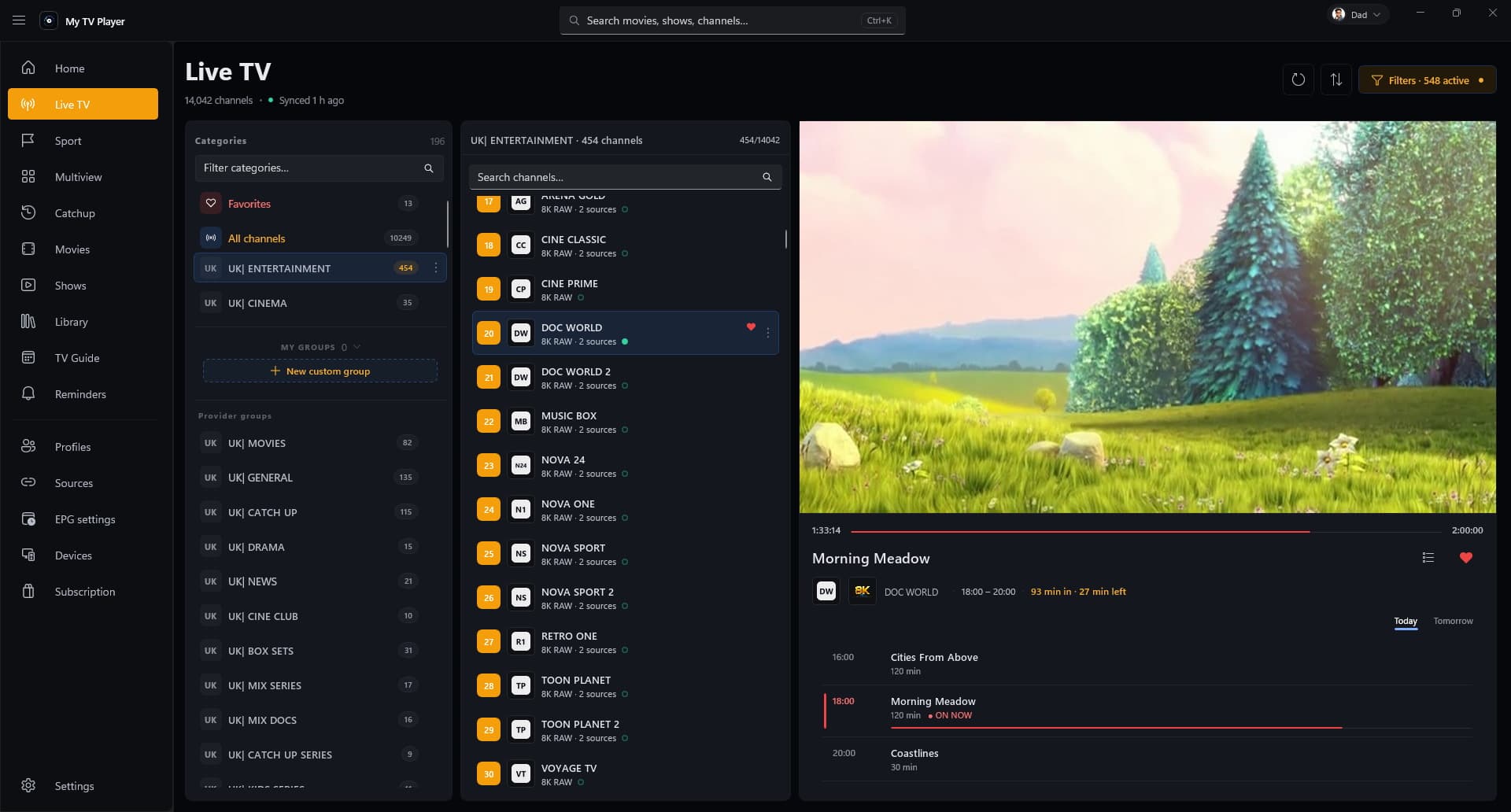
Live TV
Groups, favorites, and what is on now on every card. Hardware decode means a 4K stream costs a fraction of what a browser player would, and a stalled feed swaps to a backup on its own.
Live TV, 128 channels across 12 groups
Input
Shortcuts for the controls you reach for constantly, a real resizable window you can snap beside your work, and every control reachable without touching the mouse.
A few of the ones you will reach for most. The full list is in the help pages.
| Action | Shortcut |
|---|---|
| Search channels, movies and shows | Ctrl+K |
| Play or pause | Space |
| Favorite the current channel | F |
| Mute the focused multiview pane | M |
| Jump to multiview pane one | 1 |
| Full screen | F11 |
Setup
Sign up free on the web. No card, and the Free plan is enough to try one playlist end to end.
Add an M3U file, a URL, or Xtream portal credentials in the web console. It syncs to every device you sign in on.
Install the Windows app, sign in with the same account, and your sources, profiles and favorites are already waiting.
Bring your own source
My TV Player is a player. It does not include channels, and we neither host nor resell any stream.
Questions
No. You bring your own M3U playlist or Xtream portal, exactly as you would with any other player. We never host, sell, or bundle streams.
To a folder on your PC that you choose. Recording is entirely local: the file never leaves your machine, and our servers hold nothing about it.
Yes. One account covers every platform, and your plan decides how many devices can stay signed in at the same time.
Yes. The Free plan runs one playlist and one profile on a single device. The paid plans add more of each, plus the full multi-day guide and catch-up.
Create a free account, import a playlist on the web, then install the app and sign in.