
Designed for the far end of the room
Bigger type, TV-safe margins, and artwork that still carries at three metres. Nothing here is a desktop screen that was scaled up and hoped for the best.
Platform / XboxBeta
A 10-foot app built for a gamepad and a sofa. Sign in with a six-digit code, then reach every control with the D-pad. Nothing to type on a TV, ever.
Big Buck Bunny, Blender Foundation, CC BY 3.0
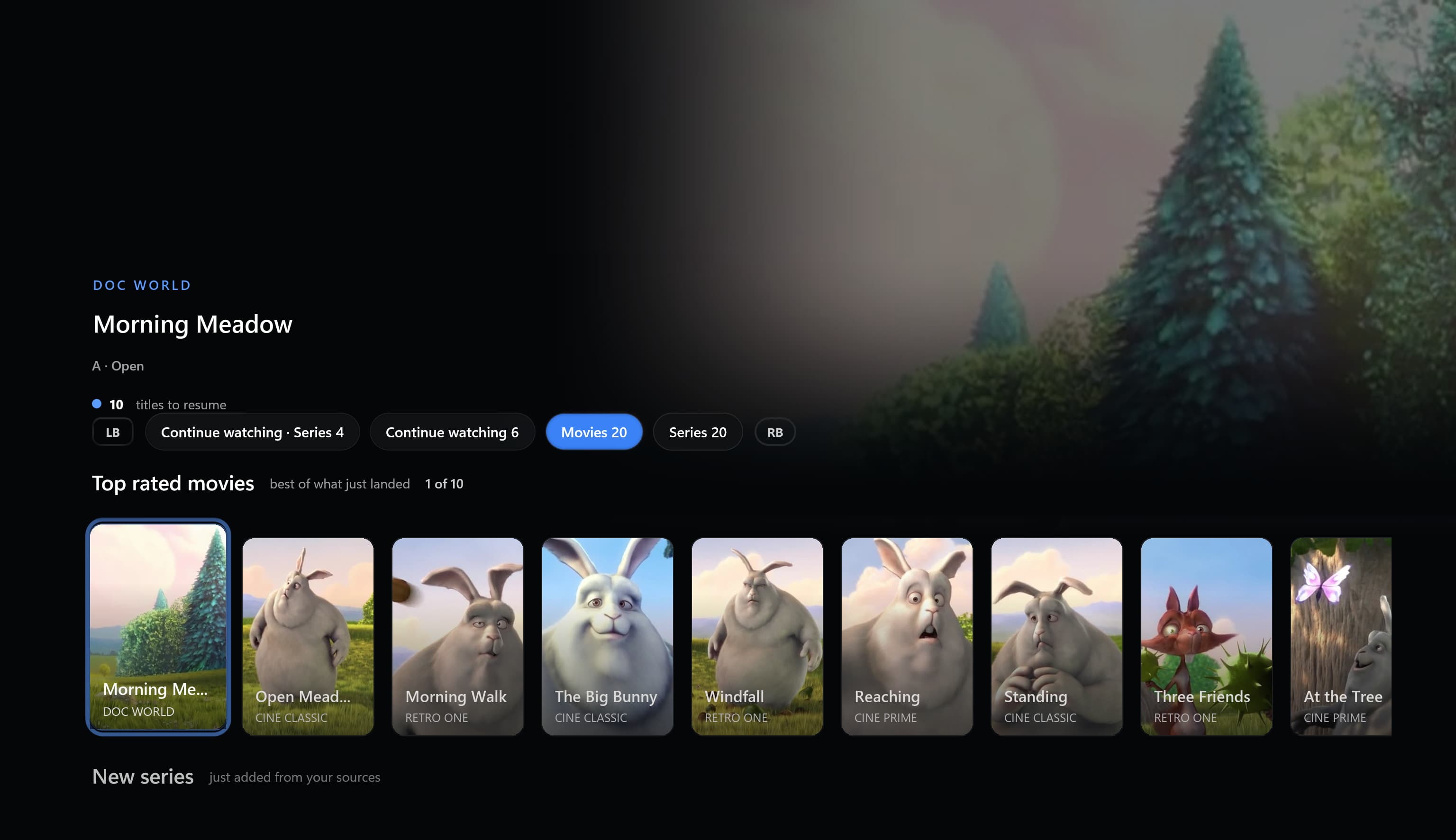 Home
Home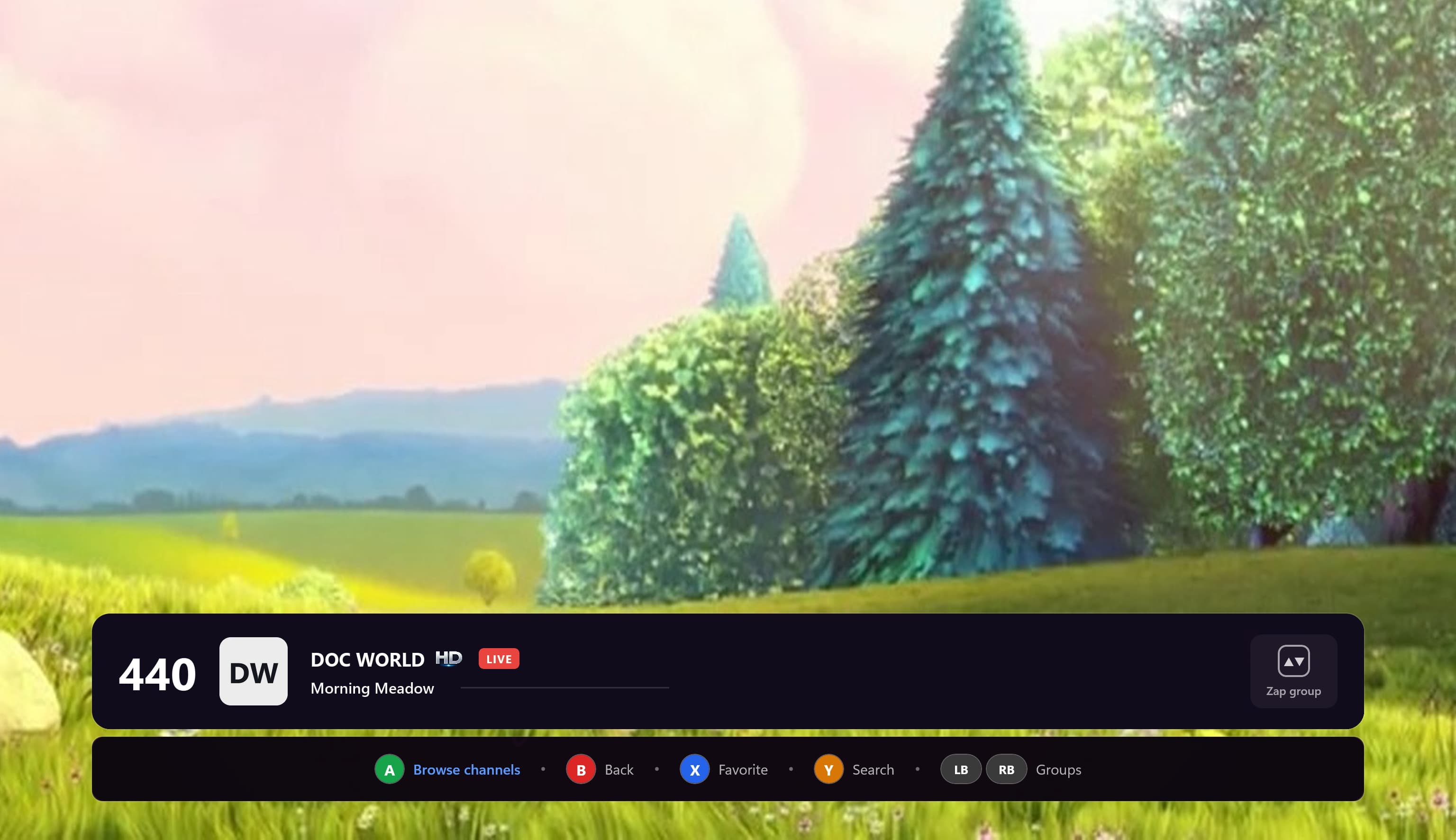 Live TV
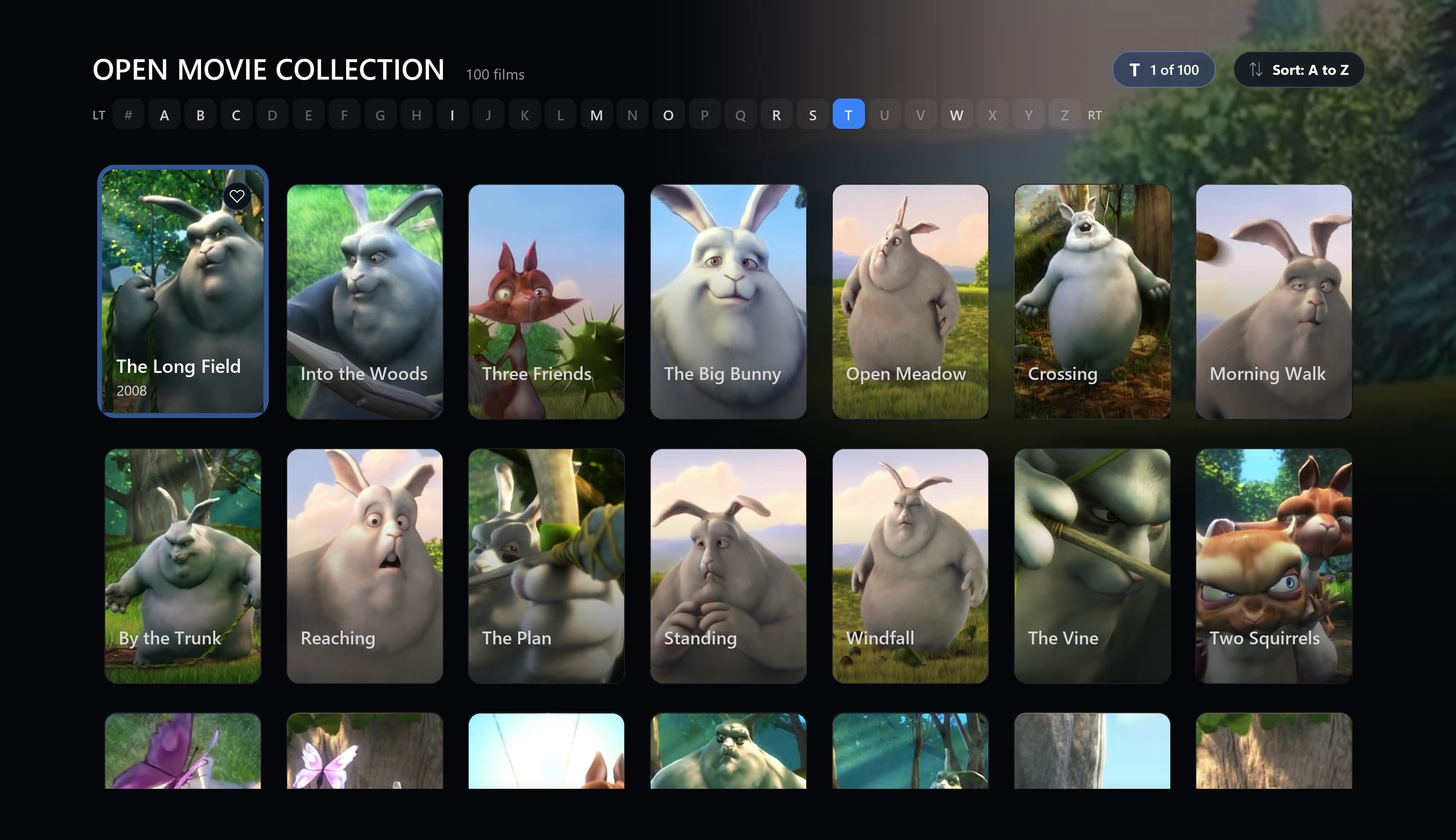 Movies
Bigger type, TV-safe margins, and artwork that still carries at three metres. Nothing here is a desktop screen that was scaled up and hoped for the best.
The app shows a six-digit code when it starts. Enter it once on the web, confirm, and the console signs itself in.
Focus moves where you expect it to, the shoulder buttons jump between rails, and a hint bar always says what the buttons under your thumbs will do.
Live TV
Channels, groups and favorites slide in over the video instead of pushing it aside. You change channel without leaving what you were watching, and one press puts the panel away again.
Movies
Your movies and shows as a grid you can actually read from the sofa, with the focused title's year, length and channel spelled out underneath. Search reaches across channels, movies and shows at once.
On the console
The console app covers the watching. Imports, billing and household settings stay on the web.
Video plays full screen and the channels, groups and favorites slide in over it. You never leave the picture to change channel.
Your catalog as browsable rails and grids, with posters, descriptions, and a continue-watching row that picks up where you stopped.
One search across channels, movies and shows, driven from the D-pad without hunting through every group by hand.
The leagues and teams this profile follows, what is on next, and highlights when your source has them.
Pick who is watching from the couch. Each profile keeps its own favorites and history, and kid profiles keep their limits here too.
Safe-area insets so overscan cannot cut anything off, larger type throughout, and a focus outline you can see from across the room.
Pairing
The code the app shows on your TV. It changes every time.
Create your account and import a playlist in the web console. The console app reads what is already synced to your account.
Install My TV Player on your Series S or Series X and start it. A six-digit pairing code appears on the TV.
Open the pairing page on a phone or a laptop, type the code, and confirm. The console signs in and your profiles are ready.
Controls
Focus moves where you expect it to, and the hint bar at the bottom of every page names what the buttons under your thumbs will do right now.
What you need
The Xbox app is in beta: solid for daily use, with some features from the Windows app still landing. No channels are included.
Questions
No. The app shows a six-digit code, you enter it on the web from a phone or a laptop, and the console signs itself in. That is the only way it signs in.
Not today. The app targets Xbox Series S and Series X, and older consoles are not supported.
No. Recording writes files to a local disk and lives in the Windows app. The console app does live TV, movies, shows, and sport.
Yes. Profiles come from your account, so everyone gets their own favorites and history, and kid profiles keep their age limits and screen-time rules on the TV too.
Create a free account, import a playlist on the web, then pair your console with a six-digit code.